

Every slab.
Every job.
One workspace.
ZinLix runs your whole shop — inquiry, quote, digital slab layout, reserved inventory, work orders, installation and payment — without a single spreadsheet in between.

The platform
Purpose-built for people who cut stone
Not a generic job app with a stone label on it. Every screen knows what a slab, a seam, a template and a remnant are.
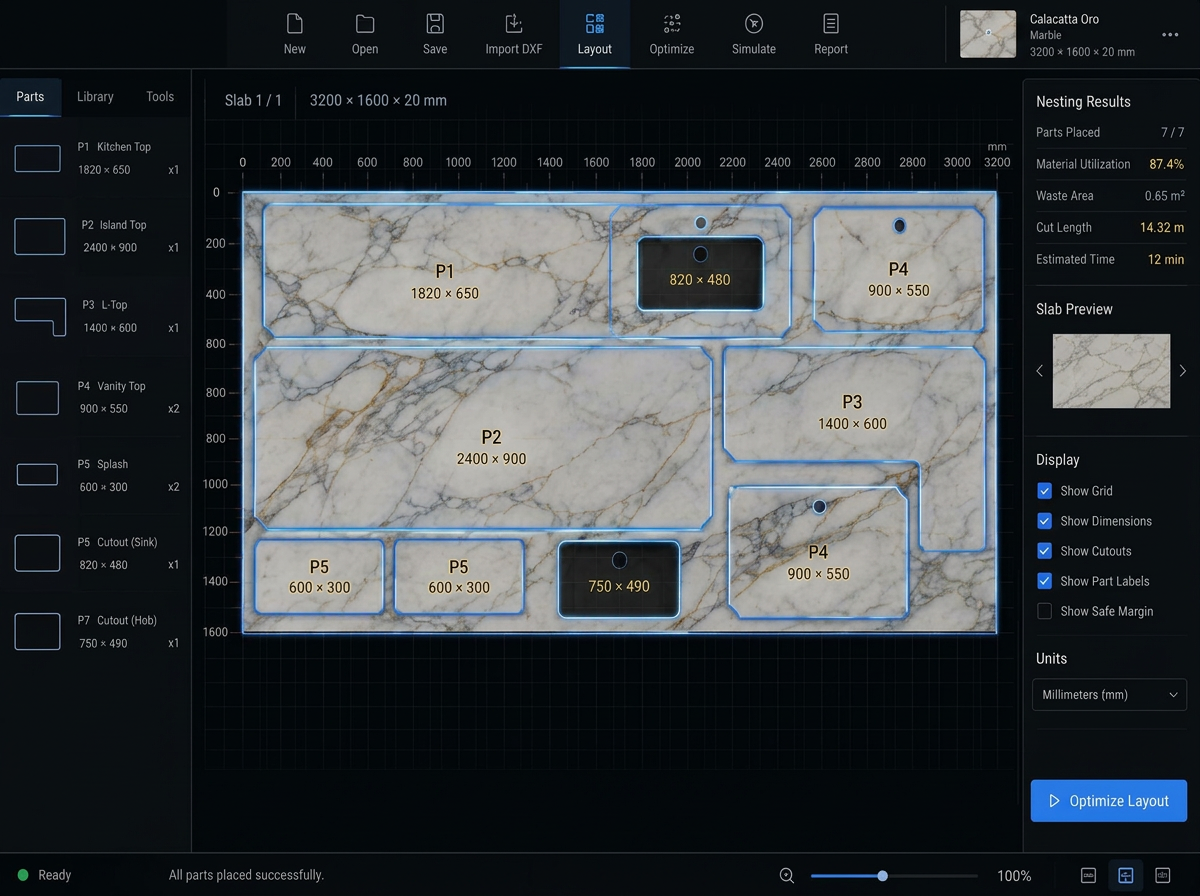
Lay pieces on the real slab
Photograph the slab, nest the pieces on the actual veining, check seams and yield, then reserve that exact slab for the job — inches or millimetres, your call.
Slabs with an identity
Photo, item code, QR label, lot, size and yard location. Reserve a slab and the whole shop sees it instantly.
Quote, accept, deposit
Prepare the quote, share the review link, record acceptance and log the deposit — the job moves forward on recorded facts. E-signature capture is not live yet.
One release, no guessing
Work orders only release when the design is approved and the stone is reserved. The shop never cuts the wrong slab.
Crews, dates, sign-off
Schedule the visit, run the punch list and close the job with a clean paper trail.
Design suite
Draw it, render it, sell it
From a 2D piece layout to a photoreal kitchen the customer can approve — and the vein match they will actually get.
3D kitchen design
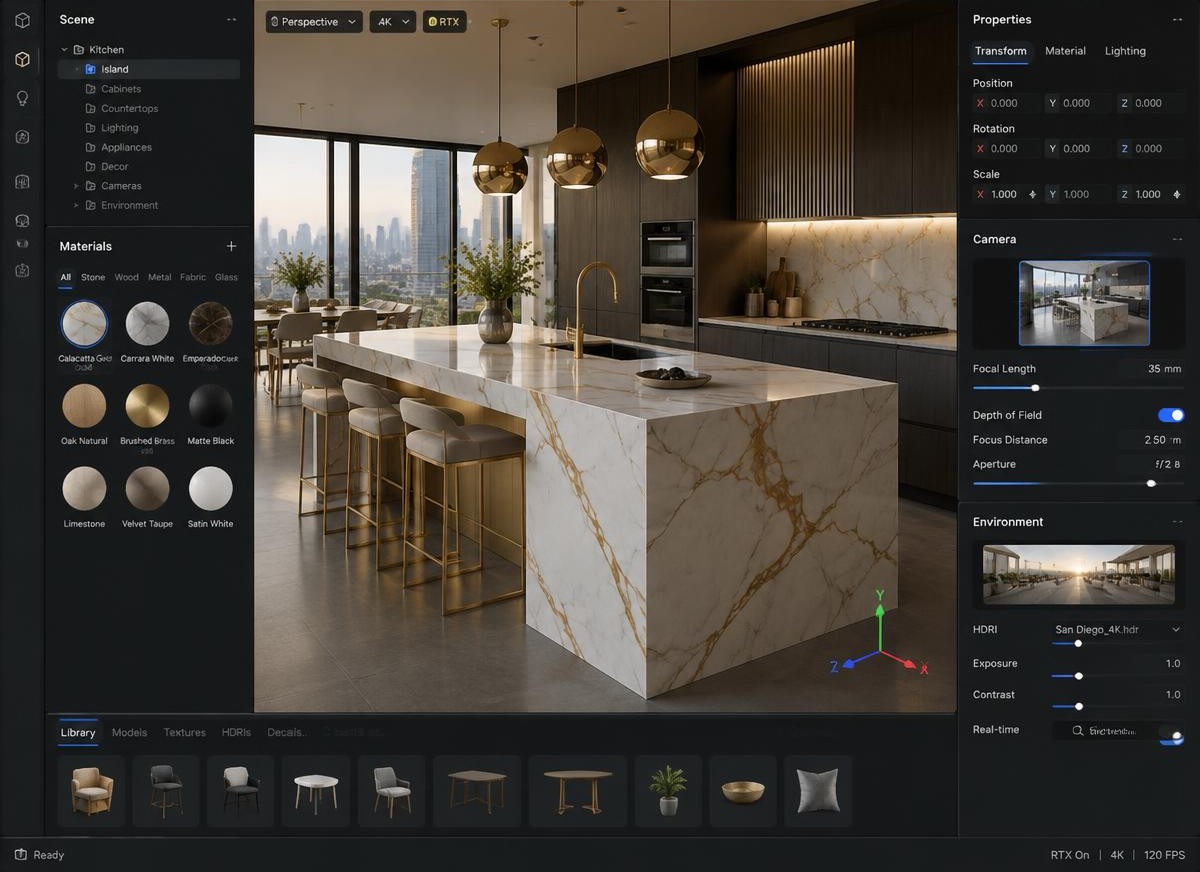
Show the kitchen before a single cut
Switch from the 2D layout to a rendered room: real stone materials, edge profiles, sinks and cooktop cutouts, lighting and camera angles the customer understands instantly.
- 2D drawing and 3D room in one studio
- Real slab photos used as materials
- Edge profiles, cutouts and seams previewed
Real slab · vein matching
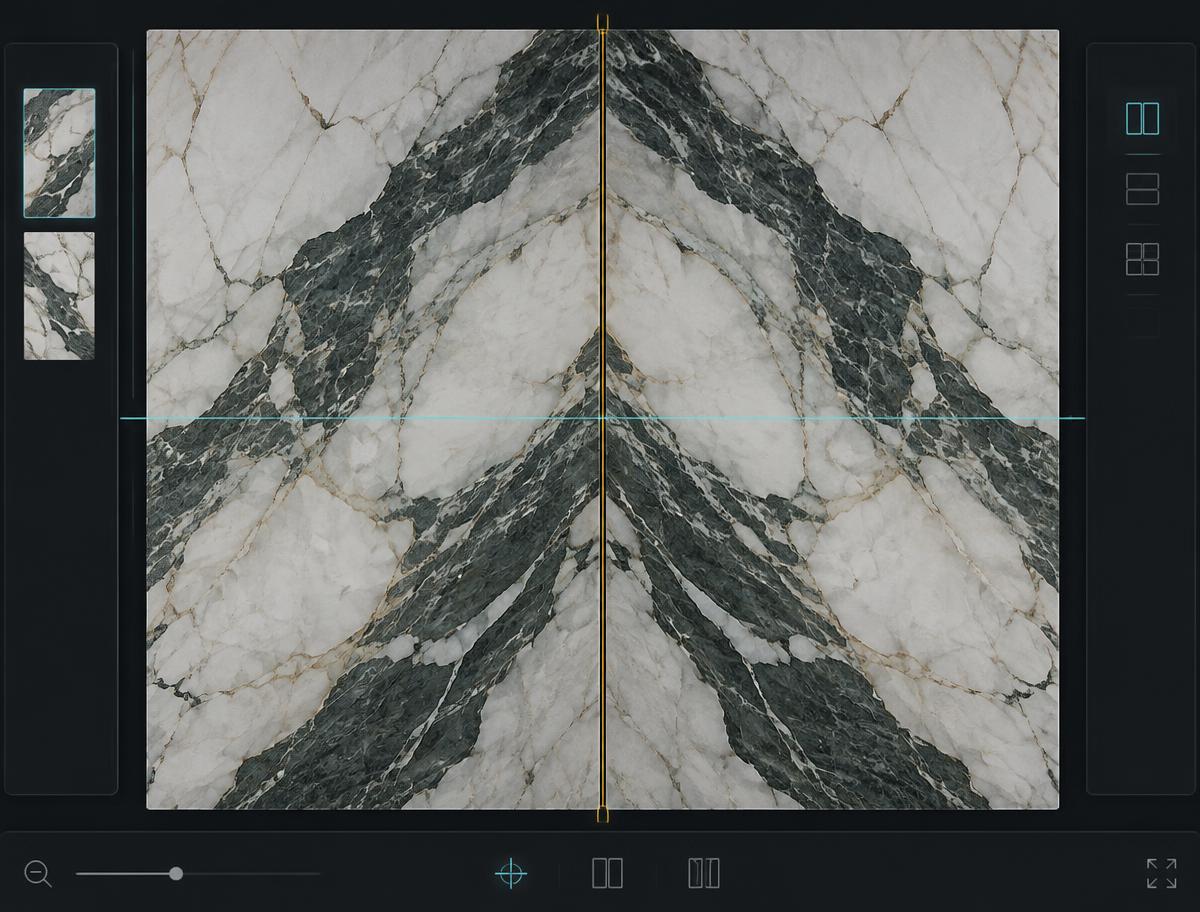
Book-match the veining, not a placeholder texture
Pieces sit on the photograph of your actual slab. Mirror, rotate and slide them until the vein runs through the seam, then check yield and remnants before you reserve the stone.
- Bookmatch and vein-direction control
- Seam preview across joined pieces
- Yield, offcuts and remnants calculated
The line
Eight steps from phone call to final payment
Inquiry
Capture the request and the contact.
Measure
Templating notes and dimensions on file.
Quote
Line items, acceptance, deposit.
Design
Pieces drawn, approved, versioned.
Slab
The exact slab reserved for this job.
Fabricate
Work order released to the shop.
Install
Scheduled crew, punch list, sign-off.
Paid
Final invoice and closeout.
On the floor
The shop only sees work that is ready
A job reaches the saw with the design approved, the slab reserved and the layout validated. No half-ready tickets, no walking back to the office to ask.
- Released work orders only
- Quality checks recorded
- Remnants tracked back to stock

In the field
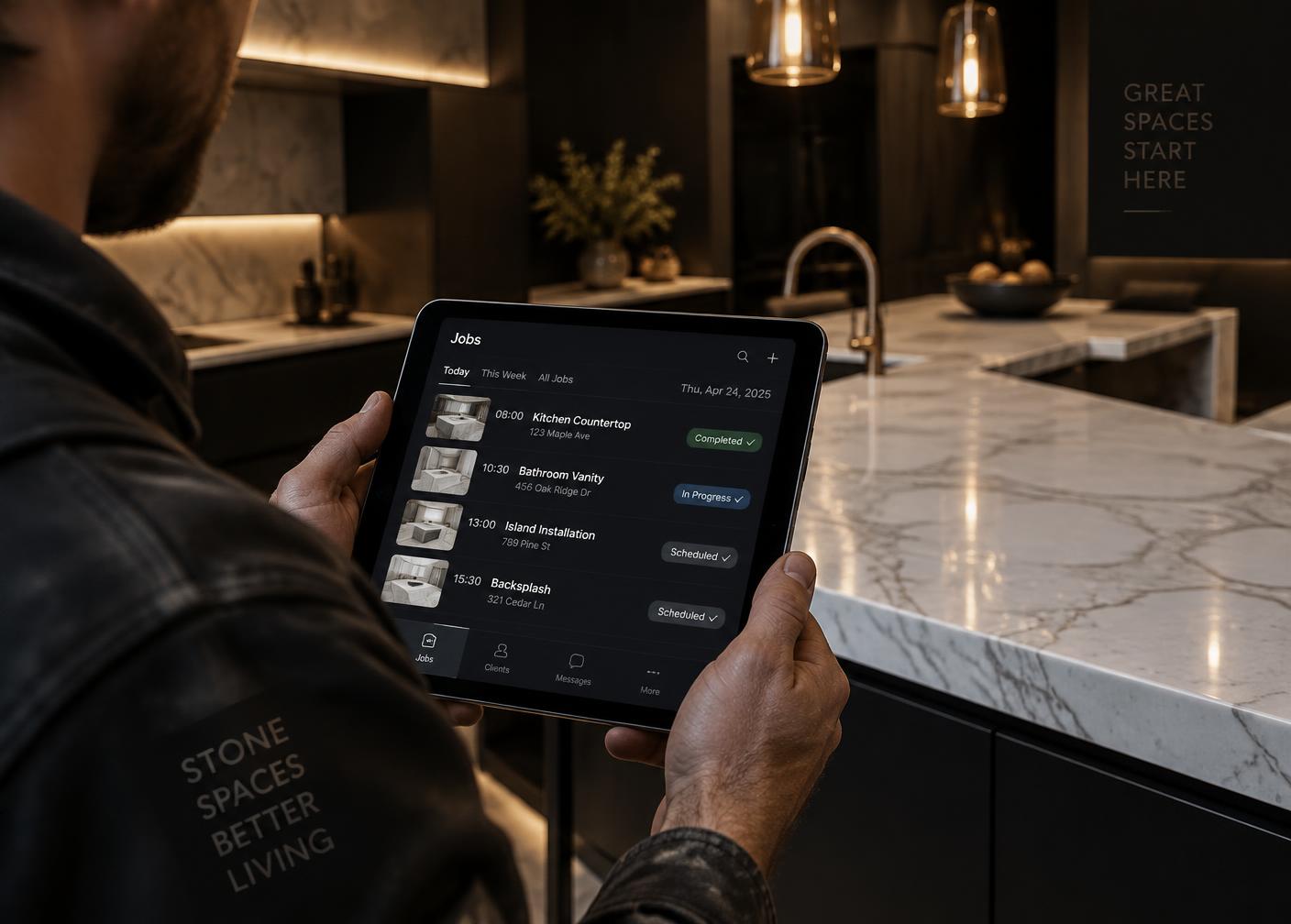
Your crew carries the whole job in a pocket
Today's installs, addresses, notes, photos and sign-off open in any phone browser — nothing to install, nothing to sync by hand.
- Schedule and crew assignment
- Punch list with photos
- Payment recorded on site
Crews & scheduling
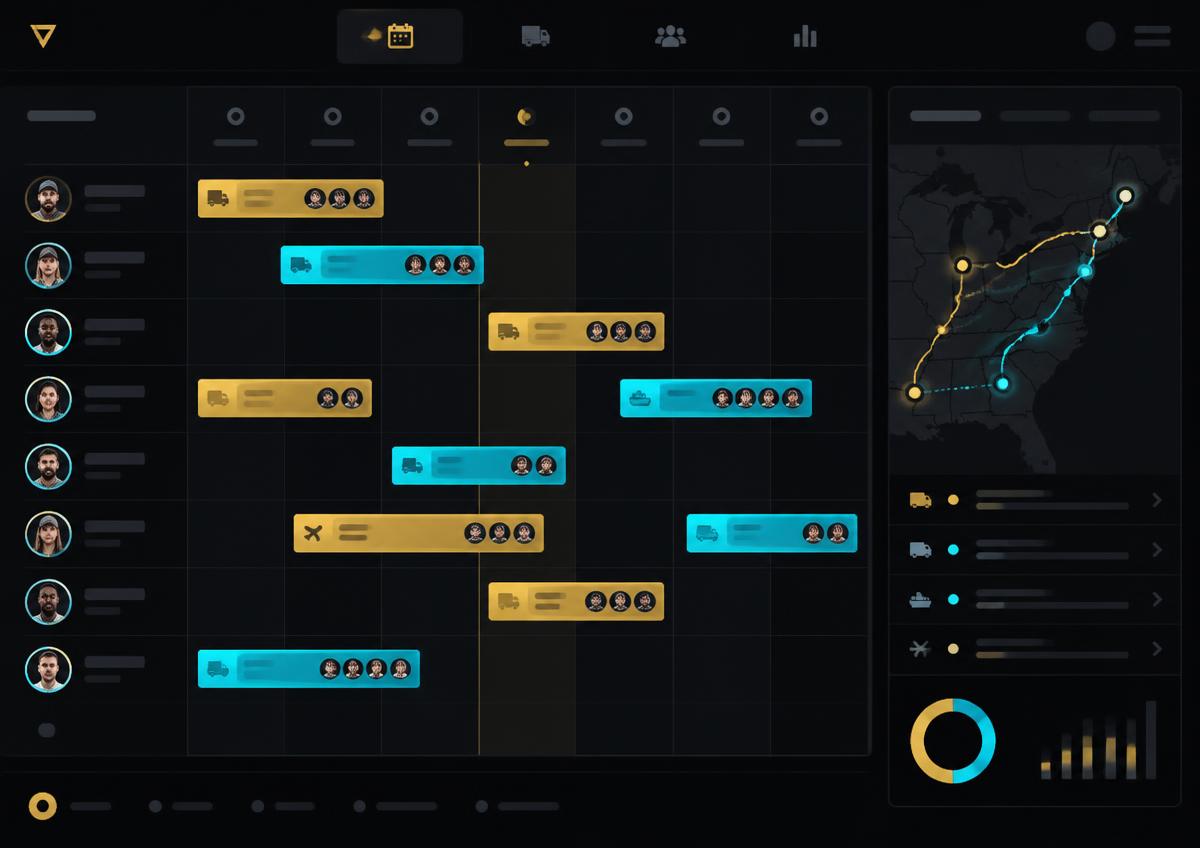
Template, fabricate, deliver, install — on one board
Build the week visually: assign a crew to each visit, set hours and the site address, and every change lands on the job and the customer's timeline at the same time.
- Crew assignment per visit
- Template, delivery and install event types
- Unassigned visits surfaced
Money & visibility
Get paid faster, and let the customer watch
Deposit, progress and final invoices, payments logged against each one, and a customer review link that shows the design and the chosen slab before anyone picks up the phone.
Deposit now, balance on install
Split the job into deposit, progress and final invoice records and log cheque, e-transfer or card receipts against each one. Online payment links, automatic reminders and financing plans are not live yet.
- Deposit, progress and final invoices
- Every payment logged per invoice
- Online payment links and reminders: not live yet

Your customer sees the job move
One private link: the quote, the design and a 3D preview with the chosen slab, open on any phone. Online approval, e-signature and a live balance view are not live yet.
- Quote and design review link
- 3D kitchen preview with the real slab
- Online approval and e-signature: not live yet

Know your revenue, receivables and bottleneck
Revenue by month, unpaid invoices by age, jobs per stage and your highest-value projects — read from the same records your shop works in, so the numbers are never a re-typed guess.
- Revenue & receivables
- Jobs per stage
- Profit margin once job costs are connected

Run your next job the calm way
Open a workspace for your shop and walk one real job from inquiry to installed. It takes an afternoon.
Beta access · no credit card required